Inventory what stays plugged in before choosing a position
The first planning step is a list of devices and which of them remain powered, because that determines how many cables must reach the stand and how permanent the routing can be. Include the screen, any streaming device, router, console, speakers and the charger that always lives there. Note which devices use an external power adapter and which have a plug that needs clearance behind it.
Devices you unplug and move often can sit near the front with a loose lead; devices that stay on for months can be routed more permanently. The list also tells you how many socket positions you need, which is worth counting before adding anything to the wall outlet. If the number of outlets or the wiring arrangement is a concern, ask a qualified electrician rather than working it out from a general guide.
Measure each cable run along the route it will actually take
Measure from the device port to the outlet following the path the cable will really take, around the stand's edge, along a skirting board and down to a floor socket, rather than measuring a straight line. Compare that distance with the cable you already own; supplied cables are often shorter than buyers expect once a stand sits away from the wall.
Note tight corners, door swings and any point where a cable would be pinched between the stand and the wall, because a cable under tension at the connector is more likely to work loose. Cable lengths and the stand's footprint are not stated in the TVS027 listing, so measure your own equipment and ask the seller for the external dimensions you need before committing to a position.
Choose where cables live: inside, behind or beside the stand
Cables can run inside the stand, in the gap behind it, or along a visible surface route beside it, and the better choice depends on how often you change a device rather than on how tidy the photograph looks. In-stand routing hides cables well but usually means reaching into a compartment to swap a connector.
Behind-furniture routing keeps the front clean and is easy to redo, provided the stand can be pulled out slightly and no cable is trapped. Surface routes using removable clips or trunking suit rented rooms or a stand that should not move. The trade-off runs the same way each time: the more thoroughly cables are hidden, the slower it becomes to change a device.
Plan access to ports and power switches without moving the stand
You should be able to reach every connector, power switch and reset button you use while the stand stays where it is. Check reach from the front, the side and above, and identify which ports face the wall. If a device must be turned around or lifted to reach a port, plan a shelf position where it can slide forward instead.
Consider the stand's weight as well: if moving it is impractical, keep the rear route open enough to work through. This is a general planning check. The TVS027 listing does not state its weight, dimensions or whether its shelves move, so treat those points as unknown until the seller confirms them.
Keep ventilation, controls and remote signals clear
Media equipment needs its vents kept clear of bundled cables, stacked boxes and soft furnishings, and remote controls need an unobstructed path to the sensor. Route bundles below or behind vents rather than across them, and avoid pressing a device against a closed back panel.
If the stand has doors, check whether a remote still reaches the equipment inside; if it does not, leave the door open, use an open shelf, or follow the equipment maker's suggested alternative. Keep cables away from heat sources. The TVS027 listing does not describe ventilation, shelving or a back panel, so these points need confirming for that model.
What to confirm about the TVS027 before buying risers or clips
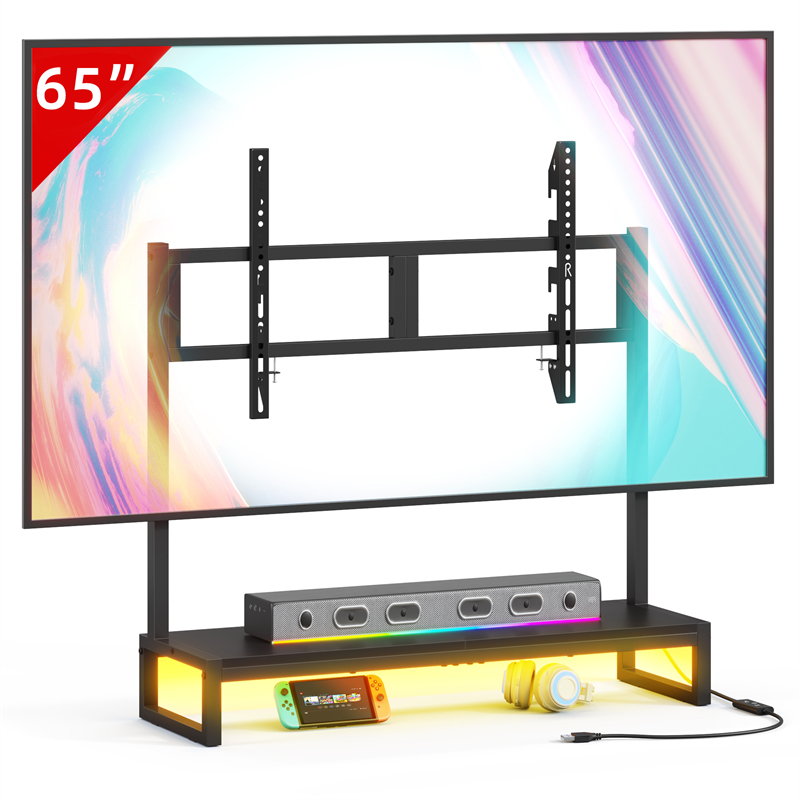
The TVS027 Desktop TV stand listing provides only the model name, so every figure needed for cable planning remains unconfirmed. Ask the seller for external width, depth and height with units, any back panel or cable cut-out, interior shelf dimensions and adjustability, the stated load rating, and whether wall restraint is required.
Ask for care instructions for the surface before attaching adhesive clips, since an unknown finish may be marked when they are removed. A model number, product photograph or a guess based on screen size is not a substitute for those figures. If the seller cannot supply them, plan a routing approach that does not depend on them, such as a surface route beside the stand.
Dry-run the setup before fixing anything in place
Before buying trunking or clips, assemble the plan with tape and temporary placement: mark the stand's footprint, mark each socket, and lay the cables along the intended route with the devices in position. Test each device while connected, check that nothing is pulled tight, then confirm you can still reach the ports you use and open any doors.
Only after that dry run should you commit to clips, risers or a different position. If the run shows a device cannot be reached, changing the stand's position or the device's shelf is usually the cheaper fix than adding more cable management around a problem that the layout created.
Explore related furniture
Who this helps
You have a desktop TV stand in mind and a growing set of boxes around the screen: a streaming device, a router, a games console and one or two power adapters. You want the cables out of the way, but you also need to swap a device or reach a port without dismantling the whole setup.
How to make the choice
Choose in-stand cable hiding when devices are fixed and every port you use can be reached from the front or side; choose an open behind-furniture drop when you swap devices often and the stand can be moved slightly. The trade-off is consistent: tidier routing slows later access, so decide by how often you genuinely change a device.
Information behind this guide
The TVS027 listing supplies only the model name, so its dimensions, materials, back panel, openings and cable features are unknown here. The steps below come from general furniture and electronics practice, not from testing. Confirm model-specific figures with the seller before ordering clips, risers or fixings.
Compare your options
| Option | Consider when | Limitation | What to verify |
|---|---|---|---|
| Behind-furniture cable drop | Devices that stay connected most of the year and a stand you can slide out slightly when a connector needs to change. | Cables can be pinched between the stand and the wall, and reaching a rear port may mean moving the whole piece. | Whether the stand can be moved safely and whether any cable is trapped or strained against the wall. |
| Routing inside the stand | Fixed equipment such as a router or streaming box that is set up once and left running. | Hiding cables slows down swaps, and a closed back panel can limit how far a plug can bend. | Ask the seller whether the model has a back panel or cut-out, and request its internal dimensions. |
| Surface clips or trunking beside the stand | Rented rooms, frequently swapped devices, or a stand that should not be moved once it is positioned. | Visible on the wall or floor, and adhesive may not release cleanly from a finish you cannot identify. | Request care and finish guidance for the exact model before attaching anything adhesive. |
Your decision checklist
- List every device that will sit on, in or beside the stand, and mark which ones stay powered all the time.
- Measure each cable run from the device port to its outlet along the real route, including the bend around the stand edge.
- Count the socket positions you need at the wall before adding anything to the outlet, and ask a qualified electrician about any new wiring.
- Check that each port, power switch and reset button you use can be reached from the front, side or above while the stand stays in place.
- Confirm the model's external dimensions, back panel or cable opening and shelf adjustability with the seller before ordering.
- Decide the final stand position before fixing adhesive clips, because an unidentified finish may be marked when they are removed.
- Keep device vents and remote-control paths clear of bundled cables, stacked boxes and soft furnishings.
Related questions
How much slack should a cable have behind a TV stand?
Leave enough slack that no connector is pulled tight and the stand can shift slightly without dragging on a plug. Following the device maker's own cable instructions matters more than a fixed figure. A tight bend around a stand edge is a common failure point, so route the cable with a gentle curve and re-check it once everything is in position.
Can I bundle power and signal cables together behind a stand?
You can, but keeping power adapters and low-voltage signal cables in separate bundles makes it easier to change one without disturbing the other. Separation is common practice rather than a measured guarantee against interference. Whichever you choose, avoid pressing cables against a device vent or a heat source, and do not coil a cable so tightly that its connector is strained.
What should I ask the seller about cable access on the TVS027?
Ask for external width, depth and height with units, whether the model has a back panel or cable cut-out, the internal shelf dimensions and whether shelves adjust, the stated load rating, and whether wall restraint is required. Ask for surface care guidance before attaching anything adhesive, since the listing does not identify the finish.