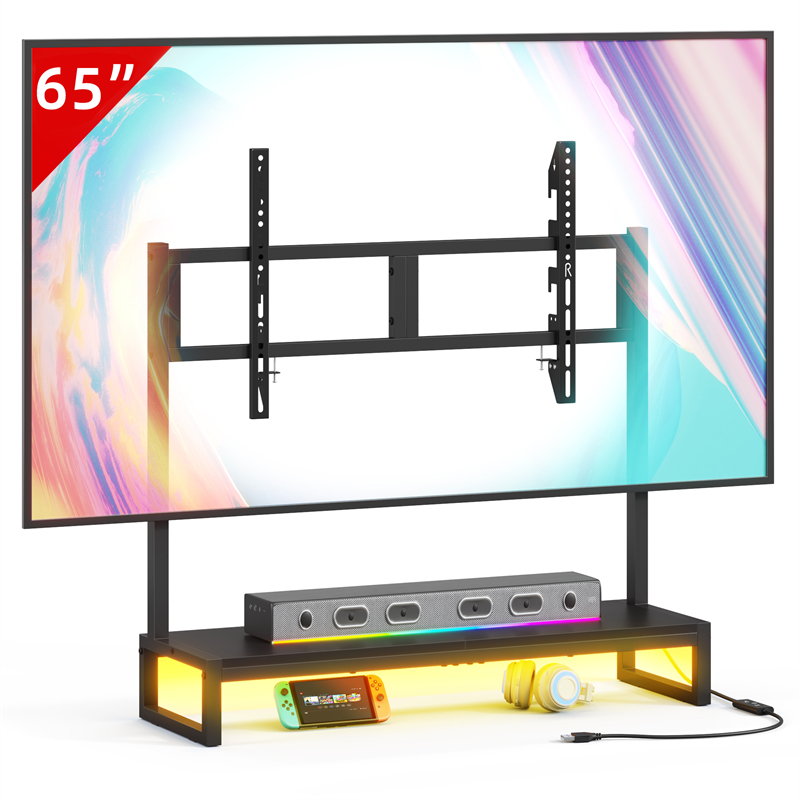
Screen Size Measures the Panel, Not What the Television Stands On
Screen size is a diagonal measurement of the display area, so it describes the picture and not the part that touches furniture. A television is supported either by a base attached to the chassis or by a bracket fixed to its back, and each of those has its own width, depth and contact points. When a screen is compared with a TV stand, the figure that decides the match is the footprint of that support, not the diagonal.
It is easy to see why the two get confused: retailers label stands as suitable up to a certain screen size, and buyers carry that number across. That label is a summary the seller chooses, not a measurement of your television. The safe comparison is between the stand's usable top and the actual base or mounting pattern in front of you.
Why Two Televisions With the Same Diagonal Can Need Different Surfaces
Two televisions of the same screen size can have quite different base spreads, base depths and weights, because each manufacturer designs the stand for its own chassis. A central pedestal may need less width but a similar depth, while feet set at the outer ends need a wider surface and may concentrate weight at two points. Neither arrangement is automatically better; they simply make different demands on the furniture underneath.
Mounting hole patterns also vary between models of the same size class, which matters if a bracket is the intended support. The practical consequence is that a screen-size figure cannot be translated into a base depth, a base width or a hole spacing. If a seller's page gives only a screen-size range, that range still has to be checked against your actual base or pattern before you rely on it.
How to Measure the Footprint of the Television You Own
With the television switched off and resting on a stable surface, and with help if the manufacturer's handling instructions call for a second person, measure the widest horizontal spread of the base and its front-to-back depth at the widest point. Those two figures describe the floor the screen needs, and the depth also controls how far the body sits back from the front edge of the top.
Note the shape of the contact points as well as their extent. Small pads, a narrow central column and full-width rails behave differently on a surface that is not perfectly flat, and a top with a lip or bevel can hold only part of a foot in contact. Record the weight in the configuration you will use, taken from the manual rather than guessed, because the weight with the base and the weight without it are different figures.
What the TVS027 Listing Does and Does Not Tell You
The TVS027 Desktop TV stand entry states only the product name, so no top width, top depth, thickness, load rating, material or mounting information can be quoted from it. None of those gaps can be filled by reading the model number or by looking at a photograph, and the word desktop in the name does not establish what weight the piece is intended to carry.
Before treating the piece as suitable, ask the seller in writing for the exact top surface width and depth, the stated load rating and its basis, the material and finish details, and whether the manufacturer specifies any anchoring or anti-tip provision. If a separate mount is part of the plan, also ask whether the piece is intended to work with one. Without those answers the footprint comparison stays open rather than resolved.
When the Footprint Fits but the Fit Is Still Wrong
Feet that sit inside the outline of the top are a starting point, not a completed check. When a splayed foot overhangs the front or side edge, the load shifts toward the edge and the base can rock or tip more readily than its footprint suggests. When the top has a raised lip, a groove or a bevel, only part of a foot may make contact, which changes the stability of the arrangement.
The surface and the furniture beneath it also matter. A television resting on a thin, flexible panel reacts differently from one on a rigid top, and a piece with an uneven frame can allow movement that the base alone cannot correct. Where the manufacturer supplies anti-tip or anchoring instructions for either the television or the furniture, follow those rather than improvising a restraint.
Choosing Between the Television's Base and a Mounting Bracket
The choice between the television's own base and a separate mount usually turns on depth: a base needs a top deep enough to hold it, while a bracket needs a matching hole pattern on the back and a wall or surface that the mount's instructions cover. A bracket can free the top for a soundbar or media boxes, at the cost of additional hardware and an installation step that depends on the structure behind it.
Weight is measured differently in the two cases, since a bracket does not carry the base. Take the relevant figure from the television documentation and compare it with the load rating stated for the mount or the furniture. For any wall fixing, follow the television and mount instructions and have a qualified person judge the wall construction and the appropriate fixing rather than assuming a standard anchor applies.
Explore related furniture
Who this helps
A reader knows their television's screen size but not the base spread, base depth or weight-with-stand, and is considering the TVS027 Desktop TV stand, whose listing gives no dimensions, load rating, material or mounting information.
How to make the choice
Use the television's own base when its measured footprint sits fully inside the stand's usable top and the stand's stated load rating covers the weight with the base attached. Choose a separate mount when the base depth does not fit but the television's mounting interface matches; the trade-off is extra hardware, a matching bracket specification and an installation step instead of simply setting the screen down.
Information behind this guide
The TVS027 listing contains only the product name, so no dimensions, load rating, material or mounting details can be quoted from it. Base width, base depth, weight-with-stand and mounting hole pattern come from the television manufacturer's own documentation or from your own measurement, not from the catalogue entry. All general measuring advice below is a method, not a specification.
Compare your options
| Option | Consider when | Limitation | What to verify |
|---|---|---|---|
| Television's own base | A screen that stays on furniture, when the measured base spread and depth sit fully on the top and the stand's stated rating covers the weight with the base attached. | Base designs vary widely, so a wide splayed foot can overhang a shallow top, and the whole load is carried on small contact pads rather than spread across the chassis. | Compare base width, base depth and weight-with-stand from the television documentation against the stand's usable top and any stated load rating. |
| Separate desktop mount or riser | A screen whose own base does not fit the surface, or one that needs to sit higher, when the television's mounting interface matches the mount. | It adds its own footprint and hardware to the top and relies on a mounting interface that must match the television rather than the screen size. | Take the mounting hole pattern, the supported weight and the supported screen range from the mount's own documentation, not from the television's diagonal. |
| Wall fixing with the top left for equipment | A layout where the wall position works and the furniture only has to carry a soundbar, media boxes or similar items. | It moves the support off the furniture but adds wall work, and suitability depends on wall construction and the fixing the mount specifies. | Follow the television and mount instructions for the screen, and have a qualified person assess the wall and the appropriate fixing type. |
Your decision checklist
- Measure the widest horizontal spread of the television base and its front-to-back depth at the widest point, with the screen off and on a stable surface, following the manufacturer's handling instructions.
- Record the weight of the television in the configuration you will use, taken from the manufacturer's documentation rather than estimated from the screen size.
- Compare the footprint with the stand's usable top, allowing for any raised lip, bevel or upstand that would stop part of a foot from sitting flat.
- Note the mounting hole pattern and any bracket requirement if a separate mount is the alternative you are considering.
- Ask the TVS027 seller for top width, top depth, thickness, stated load rating, intended use and any anchoring or anti-tip provision before committing to a position.
- Lay out a tape outline of the base footprint on the stand top before lifting the screen, and check whether every contact point falls inside the surface.
Related questions
Does a larger screen size always mean a larger support footprint?
No. Screen size measures the panel diagonally, while the footprint belongs to the base the manufacturer designed for that model. A large screen with a central pedestal can occupy less width than a smaller screen with feet set at the far ends of its chassis, and base depth differs between models of the same diagonal. Compare the actual base figures from the television's documentation against the stand's usable top rather than reasoning from the screen size label.
Where do I find the mounting hole pattern for my television?
Look for a mounting or VESA figure in the owner's manual or the manufacturer's specification page for your exact model, since the pattern is a property of the chassis rather than of the screen size. If the documentation does not list it, the hole spacing can be measured directly on the back of the television, but do not infer a pattern from the diagonal or from a similar model. A bracket and a base are separate support methods with separate requirements.
Which television weight should I compare with the stand's rating?
Use the weight of the television in the configuration you will actually use: the weight with the base attached if the screen will stand on furniture, or the weight without the base if you are using a bracket. Manufacturer manuals often list both figures, and they can differ noticeably. If the stand's listing gives no load rating, the comparison cannot be made and the missing figure has to come from the seller.