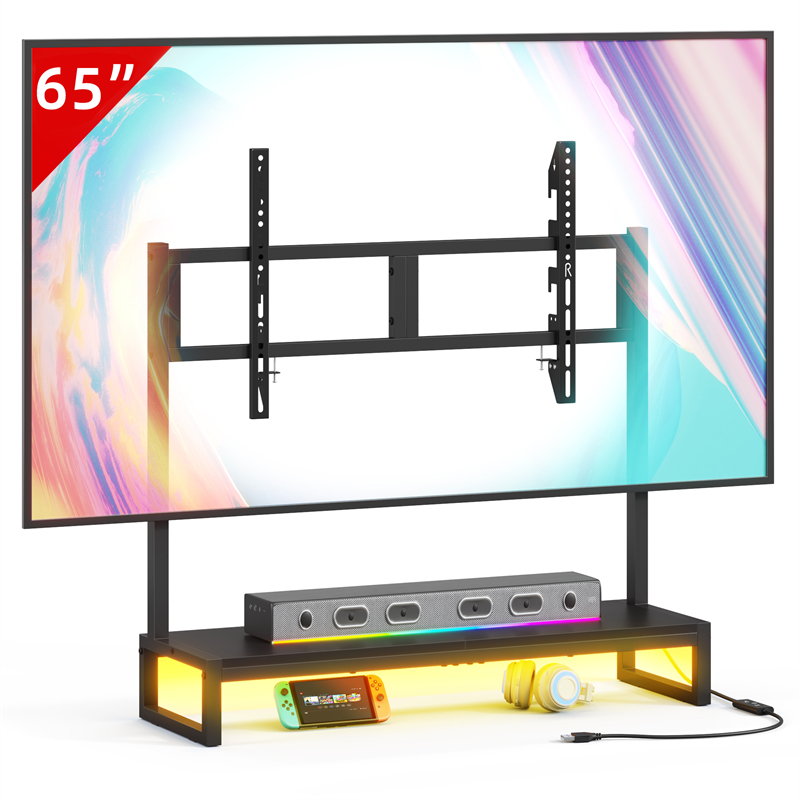
The Devices You Plan to House, Not the Look, Decide Open or Enclosed
Open shelving suits TV equipment you adjust, swap or re-cable regularly, while enclosed storage suits equipment that runs in the background and is rarely touched. The deciding condition is what each device needs while it is working. Start by listing everything that will sit on or in the stand, such as a streaming box, router, game console, disc player or backup drive, then mark each as adjusted weekly, adjusted occasionally or set and forgotten. That list matters more than the finish or door style you prefer, because a device you touch often becomes a daily irritation behind a door.
For each device, note three things: whether it stays powered on, whether you need to reach its ports or power switch, and whether its own instructions say anything about clearance or enclosed use. A device that stays on and is opened only for dusting is a candidate for a closed compartment, provided the seller can document how that compartment is ventilated. A device you unplug, move or re-cable most weeks is usually better left in the open, where you can reach it without emptying a shelf.
What Infrared Remotes Need From a Closed Cabinet
An infrared remote needs an unobstructed path to the device receiver, so a solid or heavily tinted door in front of that receiver is the first thing to test. Radio and Bluetooth remotes do not depend on line of sight in the same way, but the device maker's guidance and your own test from the normal seat are still what decide it. The condition is the remote you actually use, not the one shown in a product photograph.
A simple check before buying: hold a sheet of card between the remote and the device from your usual viewing position, then press a command. If it still registers, an enclosed compartment is less likely to be the deciding problem; if it stops, plan an open shelf for that device or confirm that the cabinet leaves the receiver visible. Check indicator lights and power buttons separately, because those can be hidden behind a door even when the remote still works.
Heat and Airflow: The Ventilation Details a Photo Cannot Show
Devices that stay powered on need the clearance their own instructions specify, and an enclosed compartment is suitable only if the furniture provides documented openings. A glass door is not ventilation, and a closed back panel behind a running router, console or amplifier can leave warm air with nowhere to go. The condition here is the device maker's requirement, which varies by product, so read it before deciding that a compartment is acceptable.
When the listing shows no openings, treat enclosed use for always-on equipment as unconfirmed rather than assuming the compartment is fine. Ask whether there are vents, slots or a partially open back, and where they sit relative to the devices you plan to place there. If the furniture maker does not describe any airflow path, the safer layout keeps the working device on an open shelf or on top, where the clearance question is easier to answer.
Dust, Cables and Status Lights: What Each Choice Leaves Visible
Open shelving keeps cables, status lights and dust on equipment visible, while enclosed storage hides them but still collects dust inside the compartment. The condition is how much the stand and its contents are meant to be seen from the seating position. Neither option is cleaner in absolute terms; they put the dust and clutter in different places.
If status lights matter, check whether the devices you monitor are visible with the doors closed or whether you will open a door to read them. For cleaning, follow the furniture care instructions and the device maker's instructions rather than applying a general household product; this catalogue does not establish the TVS027 material or finish, so its care method is unknown. Plan a routine you will actually follow, including how you reach the back of an open shelf and the inside of a closed compartment.
Cable Routing and Power Access Change With Each Storage Style
Enclosed storage usually needs a permanent cable route through a cut-out, a removable back panel or a gap, while open shelving lets you re-plug a device without dismantling anything. The condition is how often you add or remove a device and where the power strip sits. If the stand has no documented opening and no removable panel, running cables into a closed compartment becomes a question for the seller rather than a plan you can assume will work.
Check two things in the room rather than on the page: that you can reach the power switch and the power strip once the stand is in position, and that cables are not pinched between a back panel and the wall. Ask the seller whether the back panel comes off or is pre-cut for cables before you plan any modification, and follow the maker's instructions for anything you change. Cable length and the distance to the nearest outlet are measured in your room; they are not properties of the stand.
A Mixed Layout Often Fits Better Than All-Open or All-Closed
A stand that combines one open shelf with one closed compartment often matches real use better than either extreme, because it separates the device you touch from the device you hide. The condition is that the closed part suits whatever goes inside it. Put the streaming box or player you adjust and aim a remote at on the open shelf, and reserve the closed section for a rarely used player, archived drives or accessories that do not run while stored.
Do not treat a closed compartment as the default home for a router or any always-on device unless its clearance requirement and the compartment ventilation are both confirmed. The same caution applies to a device you power-cycle: if the switch sits behind a door, will you open it as often as the device needs?
What to Confirm About the TVS027 Before Choosing a Storage Style
The TVS027 Desktop TV stand entry in this catalogue gives only the model name, so its shelf layout, any doors or drawers, openings and dimensions are unknown and cannot be assumed. Before choosing between open and enclosed use, ask the seller for the shelf count and spacing, whether any compartment has a door or drawer, the internal width and depth you would be working with, any cable cut-outs or back-panel openings, and the stated load for the shelves or top you would use.
Until those answers arrive, plan around the devices rather than the furniture: identify which items need line of sight, airflow or frequent access, and treat the open-versus-enclosed choice for this stand as unresolved. The general trade-offs above are guidance for the decision, while the equipment maker's instructions and the seller's specifications for the exact unit are what turn a preference into a workable setup.
Explore related furniture
Who this helps
A reader has a television on or above a small stand and wants to decide whether to leave a streaming box, router or game console on an open shelf or hide it behind doors or in a drawer.
How to make the choice
Choose open shelving when any device is adjusted weekly, relies on an infrared remote, or needs the clearance its maker specifies. Choose enclosed storage when the equipment runs untouched, the seller confirms ventilation and cable openings, and you accept opening a door to reach it. If the compartment's airflow or signal path is unconfirmed, treat open shelving as the lower-risk starting point rather than guessing.
Information behind this guide
The TVS027 Desktop TV stand entry in this catalogue contains only the model name, so no shelf, door, opening, dimension or load information can be quoted here. The open-versus-enclosed trade-offs below are general considerations; the device maker's instructions and the seller's specifications for the exact unit are what decide an individual setup.
Compare your options
| Option | Consider when | Limitation | What to verify |
|---|---|---|---|
| Open shelves | Devices you adjust weekly, infrared remotes, and setups where you re-cable or swap boxes often, or where the device maker requires open clearance. | Cables, status lights and dust on equipment stay visible, and nothing screens the devices from the room. | Confirm each shelf's usable width and depth, whether cables can drop behind the shelf, and whether the device instructions require open clearance. |
| Enclosed cabinet with doors | Set-and-forget equipment such as a router, backup drive or rarely used player, where you want devices out of sight and accept opening a door. | Solid doors can interrupt infrared signals and restrict airflow unless the compartment is designed with openings, and cable changes may need the unit pulled out. | Ask whether the compartment has ventilation openings and cable cut-outs, whether the back panel is removable, and whether the device maker permits enclosed use. |
| Drawer or lidded compartment | Small items you want fully out of sight, such as spare remotes, batteries, memory cards and cables you rarely use. | A poor home for active equipment, because signal, heat and cable routing all become harder and reaching a device means opening the drawer. | Measure the internal drawer height and avoid storing anything there that must stay plugged in or powered on. |
Your decision checklist
- List every device that will live on or in the stand, then mark each one as adjusted weekly, adjusted occasionally or set and forgotten.
- Note whether each remote is infrared, which needs a clear line of sight, or radio or Bluetooth, which does not depend on it in the same way.
- Read the device maker's ventilation and clearance instructions before choosing a compartment, and do not treat a glass door as airflow.
- Ask the seller for shelf count and spacing, internal width and depth, cable cut-outs, back-panel openings and stated shelf load for the TVS027, since the listing gives none of these.
- Test the remote path from your usual seat before buying doors, and check that you can reach the power switch and plugs once the stand is in position.
- Plan cleaning before buying, because enclosed compartments still collect dust while open shelves make dust on devices and cables visible.
Related questions
Will a Bluetooth or radio remote work through closed cabinet doors?
Radio and Bluetooth remotes do not need a clear line of sight the way infrared remotes do, so a closed door may not stop them, but that depends on the specific device and the door construction. Check the device maker's guidance on enclosed use and test from your normal seat before relying on it. A working remote still leaves the separate airflow and access questions unanswered.
Does enclosing TV equipment reduce noise or make it run hotter?
Enclosed storage can hide fan noise and cable clutter, but it can also restrict airflow around devices that stay powered on. The furniture listing alone cannot settle this: the device maker's clearance instructions and the compartment's documented openings decide whether enclosure is suitable. If neither is available, keep the device on an open shelf rather than assuming a closed compartment is fine.
What should I ask about the TVS027 before choosing open or enclosed storage?
Ask the seller for the shelf count and spacing, whether any compartment has a door or drawer, the internal width and depth of the space you would use, any cable cut-outs or back-panel openings, and the stated load for the shelves or top. The catalogue entry for the TVS027 Desktop TV stand lists only the model name, so none of these should be treated as known until the seller confirms them for the exact unit.