Count the Active Accessories Before Choosing Any Tray
Start by listing every controller and remote used in a normal week, because a return system fails when it is built for a pile rather than for named items. Pick up each item in the media area and note which device it controls, who uses it and where it was left. The test for staying in the room is weekly use plus a clear user or seated position. Duplicates, unknown remotes and guest controllers can leave before you choose a container.
Count what remains and group it by seat. Two remotes and one controller need different handling from five controllers, a headset remote and a streaming stick remote. This is not a cabinet capacity check; it is a check on how many objects the daily return routine must absorb. If the active set is larger than expected, split it by seated position instead of making one central pile.
Give Each Seated Position Its Own Return Point
Assign one return point to each place from which someone uses a controller or remote, because a shared central tray often becomes a pile that no one owns. A point can be a small open tray on a side table, a shallow bowl on a shelf beside the sofa, or a labelled pocket attached only where the furniture maker permits it. The condition is a one-motion return: a seated person can put the item back without standing, leaning across another person or reaching behind a screen.
Test the position from the actual seat. Put an item in the tray, sit down, and check whether you can reach it and return it without moving the tray or knocking over a lamp. If the only free surface is the TV stand top, confirm that the stand is stable for a tray and that its surface is suitable. The TVS027 listing does not give a shelf, compartment or top detail, so treat that placement as unconfirmed until the seller supplies it.
Choose a Container by Daily Handling, Not Room Style
Choose an open tray for the two or three items used every day and a closed labelled box for spares, batteries and cables, because open storage makes the daily return obvious while closed storage keeps the rest out of sight. Measure the longest controller or remote you own, including any grip or case, then check that the tray has a raised edge and enough spare length that the item does not rest on its buttons. A deep basket can hide items and encourage a second pile.
Check stability before appearance. A narrow decorative bowl that tips when a controller is dropped in will not survive daily use, and a tray that slides across a coffee table is not a fixed home. If the tray sits on a surface used for drinks or cleaning, give it a marked position or choose a container with a non-slip base. The aim is a return point that works when someone is tired, not a display arrangement that needs adjusting.
Decide Where Charging Fits in the Routine
Keep charging for daily-use controllers at the return point only if the cable can stay connected without crossing a walkway, pulling the controller off the surface, or forcing the item to sit in an unsafe position; otherwise charge elsewhere and return the controller to its tray when charging is finished. The condition is the actual cable route and the controller maker's charging instructions, not the presence of a USB port on another device.
Count the chargers and cables needed, then decide whether one multi-device station reduces clutter or simply moves the tangle to a new spot. A charging station still needs a suitable surface, a power source and enough clearance around it. Do not assume the TV stand includes cable management or a charging point; the TVS027 listing confirms neither.
Use a One-In, One-Out Rule When a New Remote Arrives
Apply a one-in, one-out rule when a new controller or remote enters the room, because media accessories accumulate faster than they are removed. Before the new item receives a return point, decide which existing item leaves the active set and where it goes: a labelled spare box, another room, or disposal under local guidance if it no longer works. The condition is that the new item has a named device and user; otherwise it is a spare from the start.
This rule also keeps the active tray from becoming a charging graveyard. If an old controller is kept only because it might work with a device you no longer use, store it with that device's instructions or remove it from the media area. Check compatibility before discarding anything you still need, and label spare controllers by the device they match so they do not drift back into daily use.
Run a Short Reset Before Leaving the Media Area
Run a short reset before leaving the media area for the night: return the active controllers and remotes to their points, remove cups and packaging, and put spares back in the labelled box. The condition for this to work is that every item has a point and that the points are not blocked by cushions, blankets or a folded footstool. Keep the reset to what was used that evening; a full tidy is a different task.
If an item has no home, that is a signal to assign one or remove the item, not to add another loose basket. A weekly check can catch dead batteries, a remote that no longer matches a device, or a controller that has drifted to the sofa. The routine is working when the media area looks the same after a normal evening, not when it has been reorganised from scratch.
Do Not Treat the TVS027 as Storage Until Details Are Confirmed
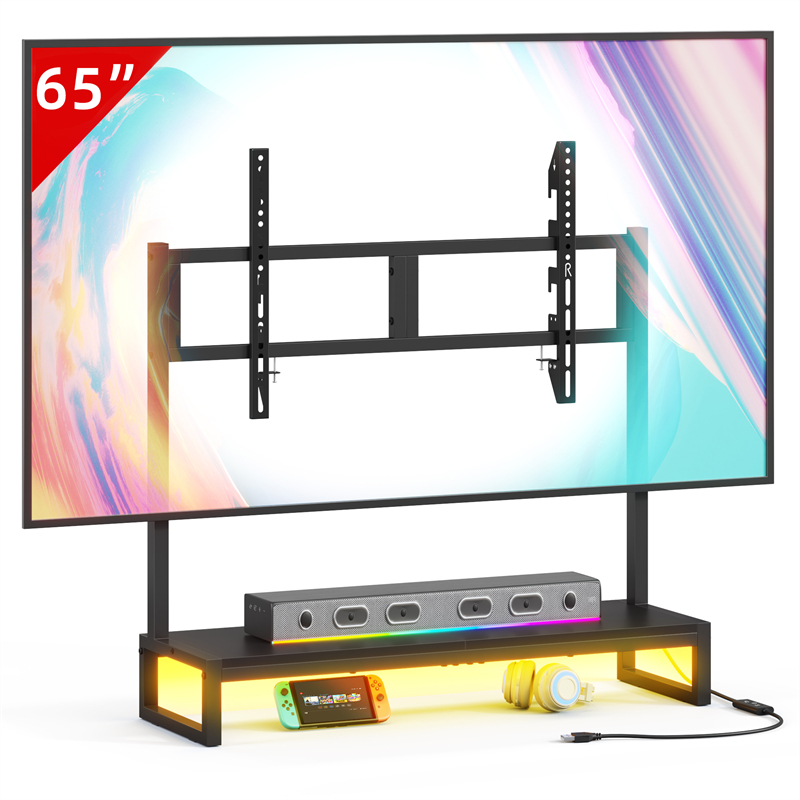
The TVS027 listing confirms the model name and that it is a tabletop TV stand, but it gives no shelf, drawer, compartment, cable opening or load rating, so a controller tray should not be placed on or in it on the assumption that storage is included. The condition for using the stand as part of the system is written confirmation from the seller about the exact surface or compartment and what it is intended to hold.
Until that confirmation exists, keep the return tray on a separate side table or shelf you can inspect yourself, and keep the TV stand top clear for the television support. Ask the seller for dimensions, any openings and the intended use of the top. Those answers belong in your setup plan; a product photograph is not a specification.
Separate Controller Storage From Game and Film Case Storage
Keep controllers and remotes in their own reachable return points and store game or film cases separately, because the two groups are retrieved on different rhythms. A controller may be picked up several times in an evening, while a film case may be chosen once. The condition is that case storage does not occupy the same small surface as the controller tray.
If the media area has only one shelf, give the daily controller tray the reachable position and put cases in a labelled box that can move. This separation also makes a missing controller easier to notice, rather than losing it among cases and cables. It does not add storage to a stand whose capacity you have not confirmed.
Explore related furniture
Who this helps
A living room where two remotes and two game controllers collect on the TV stand and sofa arms, and the household wants each item to have a place without buying a new cabinet.
How to make the choice
Choose a reachable return point per seated position when controllers and remotes are used daily and can be put back in one motion; choose a closed labelled box on a shelf when the priority is hiding spares and occasional items. The trade-off is visible daily gear against a storage spot that is further away and easier to neglect.
Information behind this guide
The TVS027 listing confirms only the model name and tabletop TV stand type. It gives no dimensions, shelf, compartment, cable opening or load rating, so any use of the stand for accessory storage remains unconfirmed. The rest of this guide is general routine and measurement advice, not independent testing or a statement about the product's storage.
Your decision checklist
- List each controller and remote in the media area, note the device it controls and the seat it serves, and move unused or duplicate items to a labelled spare box.
- Measure the longest item and choose a tray or box with a raised edge, spare length and a stable base; test it from the actual seat before keeping it.
- Assign one reachable return point per seated position and check that returning an item needs no standing, leaning across another person or reaching behind the screen.
- Keep charging at the return point only when the cable route is clear and the controller maker's charging instructions are met; otherwise charge elsewhere.
- Confirm with the seller whether the TVS027 has any shelf, compartment, opening or load rating before placing accessories on or in it.
- Run a nightly return and a weekly check for dead batteries, unknown remotes and spares that have drifted back into the active area.
Related questions
Should I use the TVS027 itself to store controllers and remotes?
Only if the seller confirms a shelf, compartment or surface intended for that use. The TVS027 listing gives the model name and tabletop TV stand type but no dimensions, storage features, cable opening or load rating, so the stand cannot be treated as a controller tray or cupboard from the listing alone. Ask the seller before placing anything on or in it.
How many controllers and remotes should stay in the media area?
Keep the ones used in a typical week by people who sit in the room, and move duplicate, guest and unknown remotes to a labelled spare box elsewhere. There is no universal number: count by device and by seated position, then check that the active set still fits the return points you can reach. If a tray is overflowing, remove an item rather than adding another tray.
Where should charging cables go in a controller return system?
Keep a charging cable at the return point only if it can stay plugged in without crossing a walkway, pulling the controller off the surface or holding it in an unsafe position. Follow the controller maker's charging instructions. If those conditions are not met, charge the controller elsewhere and return it to the tray afterwards. Do not assume the TV stand has cable management, because the TVS027 listing does not confirm it.