What the Device Manual Decides Before the Door Position
The device manual decides the default door position, not the look of the cabinet. Read it for statements about clearance, ventilation, enclosure and operating conditions; if the manual says a device needs open space or specific clearance, a closed door is the wrong default regardless of how tidy the room looks with the door shut.
Apply the same reading to the cabinet instructions. Some furniture is built with a door intended to stay closed in use and includes a path for air and cables; other pieces are storage furniture with no such provision. If neither document addresses the door state, treat the question as unresolved and begin with the door open while you ask the seller.
This is a comparison of operating states, not a recommendation to buy a particular cabinet. The TVS027 catalogue entry names a model and a tabletop TV stand; it says nothing about doors, so it cannot settle this question for you.
When the Remote Receiver Needs a Clear Path
The remote receiver sets the first practical test, because a closed door that blocks control makes the position unusable no matter what the manual says about airflow. Identify whether the device uses infrared, radio-frequency or Bluetooth control, find the receiver on the device, and then test the remote from the seat you actually use with the door closed.
Infrared control commonly depends on a line of sight, while radio-frequency and Bluetooth may pass through some door materials. A working remote is not evidence that the door is suitable for the device; it only answers the control question. If the test fails, keep the door open during sessions, relocate the device to an open bay, or plan for an external receiver only if the device maker documents that option.
Loading, Ports and the Access You Actually Use
Count the physical interactions a session involves: inserting a disc, plugging in a headset, reaching a USB port or pressing a power button. A closed door adds a step to each of those, and a door that sits low or behind another surface can turn a small task into a reach around the furniture.
If you load or unplug something during most sessions, leave the door open while you do it and decide whether the manual permits closing it afterwards. If access happens weekly rather than daily, a closed door with the device set up once is more reasonable, provided the manual and cabinet instructions allow it. Writing the routine down is more useful than choosing a position and hoping it sticks.
Dust, Noise and the Trade-off a Closed Door Buys
A closed door reduces the dust that settles on devices and can muffle fan or disc noise, but it also narrows the air path around the equipment. An open door does the reverse: more dust and noise, less restriction. Neither state is a safety guarantee, and neither compensates for a device manual that asks for clearance.
Choose the trade-off that matches the room. A bedroom or a small living room may make noise containment worth more than dust; a dusty room near a road may make protection worth more than quiet, as long as the airflow question is already settled. Do not use a warm door front or a quiet fan as a substitute for reading the manual; those observations are not temperature or airflow measurements.
What the TVS027 Listing Confirms and What to Ask
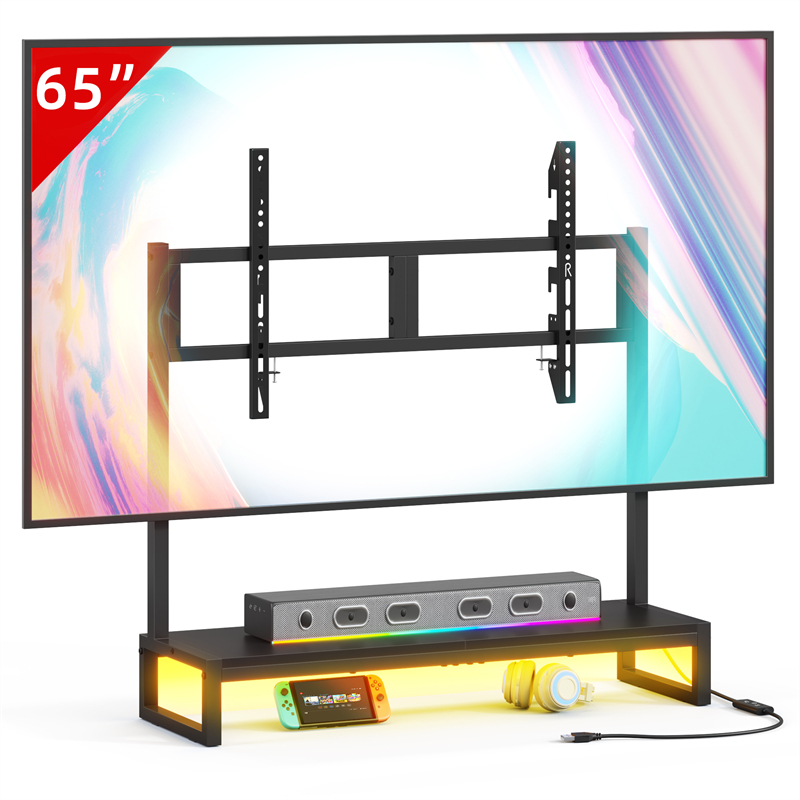
The TVS027 catalogue entry confirms a model name and a tabletop TV stand type, and nothing about doors, compartments, ventilation openings or supported load. That means the product cannot be used as evidence for any door-state rule, and a buyer who needs enclosed storage has to ask separately.
Send the seller four questions: what the item actually includes, whether any compartment has a door and how it is meant to be used, whether there is a cable or ventilation opening, and what the device maker's instructions say about clearance. The catalogue also lists other TV furniture, but no entry supplies door-state or ventilation specifications, so each piece needs the same questions.
If the reply leaves those points undefined, treat the door question as open, in the literal sense, and keep the media device on an open surface until you have a documented answer. The TV stands buying guide covers the wider placement decision; this page only addresses the door position during use.
A One-Week Trial Before You Fix a Routine
Pick a default position for one week and record what actually happens: whether the remote works from your seat every time, whether loading a disc or plugging in a cable becomes a nuisance, and whether the interior collects visible dust. Set the trial before you decide, so the first awkward evening does not become the rule.
At the end of the week, compare the notes with the device manual and the cabinet instructions rather than with how the furniture looks. If either document names a condition the routine breaks, change the routine; if both are silent, keep the position that you can follow consistently and revisit it when you change device or furniture. Use the contact page to ask about a specific GYIIYUO model rather than assuming a door arrangement from a listing title.
Explore related furniture
Who this helps
You already own or are considering furniture with a door over a streaming box, console or disc player, and you want a repeatable rule for whether the door stays open while the device is powered.
How to make the choice
Choose closed during use when the device manual permits enclosure and the cabinet instructions describe a ventilation path; choose open when the manual requires clearance, the receiver needs line of sight, or you need physical access. The trade-off is dust and noise containment against airflow and control reliability.
Information behind this guide
The TVS027 listing confirms only the model name and a tabletop TV stand type; it does not confirm doors, compartments, ventilation openings or load. General advice about doors, airflow and remotes is conditional guidance, not a specification for any particular cabinet or device.
Compare your options
| Option | Consider when | Limitation | What to verify |
|---|---|---|---|
| Closed during use | Devices whose manual permits enclosure, and cabinets with documented ventilation and cable openings. | Restricts airflow and can block infrared remotes or hide indicator lights. | Read the device manual and cabinet instructions, then test the remote from your seat with the door shut. |
| Open during use | Devices whose manual requires clearance, disc players loaded mid-session and receivers behind a solid door. | Exposes the interior to dust, lets device noise out and may block a walking route. | Confirm the open leaf clears routes and that the hinge is not strained by staying open. |
| Open to load, closed to play | Short sessions where the manual permits closed playback but the disc slot or ports need access first. | Depends on a habit; the door is easily left ajar and the routine fails silently. | Confirm the manual permits closed playback before relying on this pattern. |
| Remove or replace the door | Setups where line of sight is the binding constraint and no manual condition forbids open equipment. | Permanent change that loses dust protection and may not be reversible without parts. | Check the cabinet instructions for removable hinges and any condition that applies. |
Your decision checklist
- Read the device manual for clearance, ventilation and enclosure statements before choosing a door position.
- Locate the remote receiver and test it from your usual seat with the door closed.
- Trace the open door's swing against walking routes, nearby furniture and other doors.
- List the ports, disc slots and card readers you reach during a session, and note whether the door blocks them.
- Ask the seller what the TVS027 actually includes, because the listing confirms only the model and tabletop stand type.
- Pick a default door position and one stated exception, then follow it for a week before changing it.
Related questions
Does closing a media cabinet door overheat a streaming box?
There is no general answer, because it depends on the device manual and the cabinet's design. Restricted airflow can raise the temperature inside an enclosed space, and some manuals specify clearance or ventilation conditions. Read the manual for enclosure and clearance statements and the cabinet instructions for any intended door state. If either document is silent or unclear, start with the door open and ask the seller before making closed operation your routine.
Will a closed door stop my remote from working?
It may, but the result depends on the remote technology and the door. Infrared control usually needs a clear path to the device receiver, while radio-frequency and Bluetooth control may pass through some materials. Locate the receiver on the device, then test from your normal seat with the door closed. A failed test means the door blocks control; it does not by itself tell you whether the door is suitable for the device's ventilation.
Can I leave the media cabinet door open all the time?
Only if the open leaf does not obstruct a walking route, block another door or put strain on the hinge. Check the cabinet instructions for how the door is meant to rest and whether it can stay open. Leaving it open also exposes the interior to dust and lets device noise out, so treat it as a deliberate trade-off rather than a neutral default.