Begin the Replacement Record With Every Connected Device
Start the record with every device that will move to the new stand or stay in the same room, including the television, media players, game console, soundbar, router and charging devices. For each, note whether it sits on the stand, inside it or elsewhere, and whether it stays connected daily. A device that moves with you does not need a place on the replacement. Also record the device manual's clearance and ventilation conditions rather than inferring them from the device's size or name.
Record Power Adapters, Outlets and Cable Routes as One System
Record the power side and the signal side together, because a stand change can expose or block both. Count each device's power adapter, the outlet it uses and whether the plug is accessible with the current stand in place. Then trace each cable from device port to destination, noting connector type, approximate length and whether it must stay reachable. If the only problem is an outlet behind the stand or a cable that is too short, a replacement may not fix it.
List Weekly Access Tasks, Not Just Equipment Names
List the tasks you perform at the stand each week, such as inserting a disc, plugging in headphones, reaching a USB port, swapping a game or cleaning the surface. For each, note whether you need to see the port, crouch, move the television or pull the stand away from the wall. A replacement should remove a task you actually perform, not a task you imagine. This record also shows whether a tabletop stand with no confirmed compartments can meet the routine.
Separate Stand Shortcomings From Room and Device Problems
Separate shortcomings the stand itself creates from problems caused by the room, outlets or devices, because only the first group supports a replacement. A stand that is too shallow for a device base, lacks a reachable opening or puts the television where your usual seat cannot see it comfortably is a stand problem. Cables that are too short, an outlet in the wrong place or too many devices for one surface are layout and equipment problems. Record them so you do not buy a new stand expecting them to disappear.
Measure the Current Setup and the Space Around It
Measure the current stand's width, depth and height, the television's support base or feet, and the clear floor space around the stand before comparing replacements. Also record the route people walk and the clearance needed to open doors or drawers on nearby furniture. Use exact values from your own furniture and the television manual. The TVS027 listing gives no stand dimensions or load rating, so those figures must come from the seller rather than from the model name.
Compare the Inventory With the TVS027 Listing Before Buying
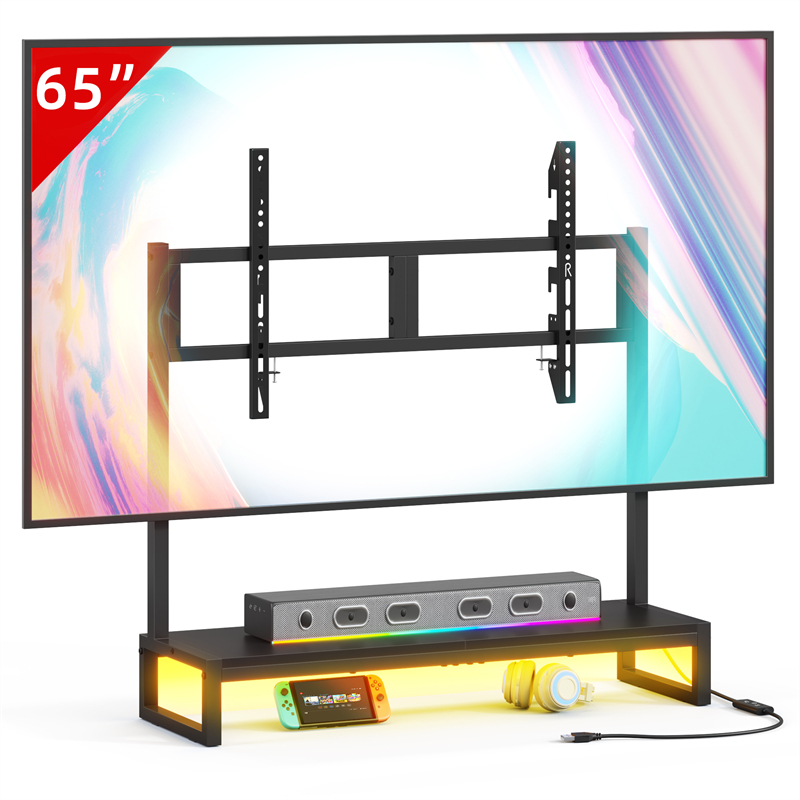
Compare your inventory with the TVS027 listing only after you have the missing figures, because the catalogue entry confirms the model and tabletop TV stand type but no top dimensions, load rating, shelf layout, cable openings or mounting details. Ask the seller whether the stand supports your television's base and weight, whether your devices sit on it or elsewhere, and how cables reach the ports. If a required device has no confirmed place, the TVS027 is not a confirmed replacement. Ask the seller for those details before ordering.
Decide Whether to Replace, Reorganise or Change the Device Layout
Decide to replace the stand only when the inventory shows a stand-level shortcoming that matters in daily use; otherwise reorganise first. Moving a device to a different position, shortening or rerouting a cable, or removing a duplicate device may solve the complaint without new furniture. If you still need a replacement, keep the inventory as a shopping list and compare each candidate against it, including the TVS027's unconfirmed details, rather than choosing by appearance.
Keep the Record as a Setup and Future-Change Checklist
Keep the record after purchase, because it becomes the setup checklist and the reference for future changes. Note where each device ended up, which port is used and which cable route was accepted, but do not treat the notes as installation instructions; follow the television and stand makers' directions. Revisit the record when adding a device, because a stand that fits today's inventory may not fit a larger one. This is also the point to confirm that the stand has no storage you assumed it had.
Explore related furniture
Who this helps
A reader has an existing TV stand that feels cluttered or awkward and is considering a replacement, but has not recorded which devices, adapters, cables, outlets and weekly access tasks the new stand would need to support.
How to make the choice
Replace the stand only when your inventory shows a stand-level shortcoming, such as an unusable top layout or blocked device access, that the replacement can fix. If the complaint comes from outlet placement, cable length or too many devices, change the layout first. Treat TVS027 load, dimensions and openings as unconfirmed until the seller supplies them.
Information behind this guide
The TVS027 catalogue entry confirms only the model and tabletop TV stand type. Load rating, top dimensions, cable openings, shelf layout and mounting details are not supplied. The inventory method is general editorial guidance, not a product specification or an installation instruction.
Your decision checklist
- List every device that will sit on, in or beside the replacement stand, including the television, and note whether it stays connected daily.
- Record each power adapter, the outlet it uses and whether the plug remains reachable with the stand in place.
- Trace every cable from device port to destination, noting connector type, approximate length and whether you need to reach it weekly.
- Write down weekly access tasks such as inserting a disc, using a USB port, changing a game or cleaning the stand.
- Measure the current stand footprint, the television support base or feet and the clear floor space around the setup.
- Ask the TVS027 seller for load rating, top dimensions and cable or shelf openings before treating it as a replacement.
Related questions
Should I replace a TV stand just because the cables are hard to reach?
Not necessarily. Record which cable or port you reach for, how often, and whether the current stand blocks it. If one cable is routed badly, moving the device or changing the route may solve the problem without new furniture. Replace only when the stand's own layout, openings or size repeatedly prevents the access you need. The TVS027 listing does not confirm cable openings, so ask the seller before assuming it will improve access.
What device details belong in a replacement inventory?
Record each device's approximate size and weight, its power adapter, the ports you use, whether it needs line of sight for a remote and any clearance or ventilation condition stated in its manual. Do not guess a device's requirements from its name or photograph. Also note whether it sits on the stand, inside a compartment or elsewhere, because a replacement only needs to support the devices that actually move to it.
Can the TVS027 replace a TV cabinet with storage?
Only if your inventory shows you do not need the cabinet's storage. The TVS027 listing confirms a tabletop TV stand, not compartments, shelves or a load rating, so it is not a confirmed substitute for enclosed storage or for holding devices whose weight and dimensions are unknown. If media cases, controllers or equipment must live in the furniture, confirm what the stand actually provides with the seller first.