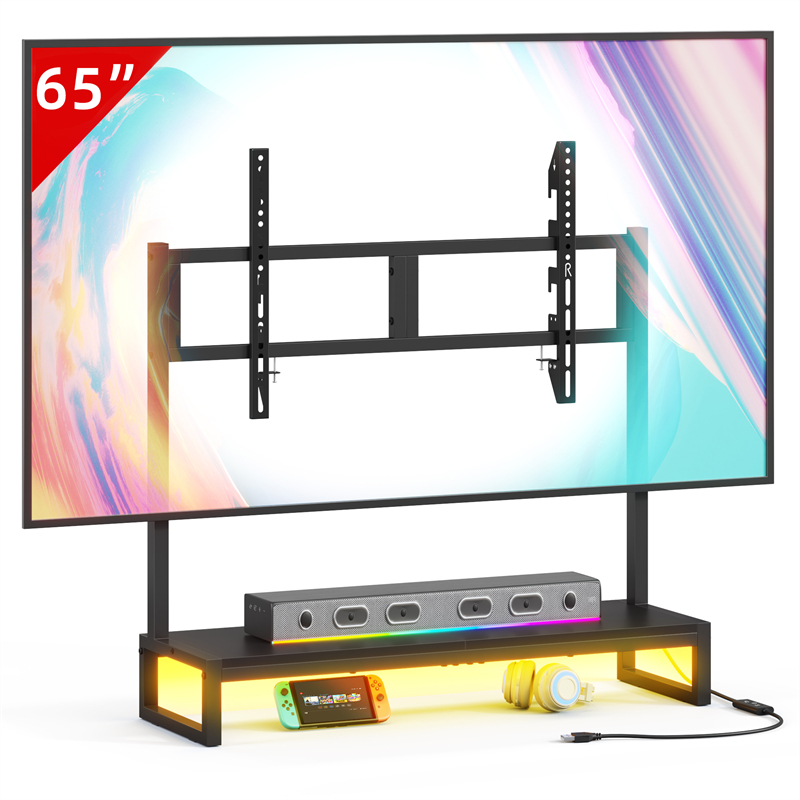
What should a TV connection record contain before anything is unplugged?
The record needs one line per device showing the model, the port name printed on the device, the cable plugged into that port, and where the other end goes, plus the power adapter that feeds the device. Write it while everything is still connected, because port names such as HDMI 2 or eARC are what you will match later. A description like the blue cable stops being useful the moment two blue cables exist in the same bundle.
Photographs support the list but cannot replace it. A photo shows the shape of a plug and the layout of a panel; it rarely shows where the far end of that lead runs, and it cannot say which of two similar adapters powered the streaming box. Aim for a record you could hand to someone else and have them rebuild the setup without asking you a question.
Keep the list to a size you will actually finish in one sitting. A television, a soundbar, a streaming device and a router is four lines; a full cabinet with a games console, an amplifier and a network switch is longer, and that is the case where writing it down pays for itself.
How should cables be labelled so the record survives the move?
Label both ends at the moment of removal, using the device name and the port name rather than the colour. The end at the device and the end at the far device are what let you reconnect without trial and error, and a label on only one end leaves the other as a guess. This is also the reason to number the lines on the written record and repeat those numbers on the labels.
Check the physical fit before you commit to a labelling method. Some plugs sit flush against a recessed panel, and a thick tag wrapped around the connector body can stop the plug seating fully or foul the socket. Flag the cable a short distance back from the connector instead, and keep any adhesive away from surfaces that warm up in use.
The medium matters less than the consistency. Masking tape and pencil can be replaced cheaply, and a printed label stays legible longer, but a system that uses two naming styles across the same setup will fail at the point where it matters. Choose one format, write every label the same way, and keep the written record in the same order.
What makes a back-panel photograph useful rather than decorative?
Take one wide shot of the whole connected panel, then a closer shot of each device with the cables still inserted, held square to the ports so the printed labels are readable. Include the power strip in one frame with every adapter in place, because the adapters are the part most often mixed up after a move. A photograph taken from an angle that hides the port names adds atmosphere and nothing else.
Photographs catch details you would not think to write down: a lead that loops behind the panel before it drops, a plug inserted in one orientation only, or a cable that is under slight tension in the current position. Those details matter when you try to recreate the arrangement in a different room.
Pair each photograph with its written line rather than treating the images as the whole record. If the pictures live on a phone that is packed, charging or out of reach during reassembly, the written list is what actually gets used. A printed copy or a note kept with the cables is more reliable than a camera roll you have to search.
Which connections are easiest to lose track of?
The ones that are easy to assume are the ones that go wrong: the adapter feeding a streaming box rather than the television, a soundbar connected through the television's audio-return port, an aerial or network lead that arrives from a wall plate, and any cable that threads through a hole in the stand. These are exactly the leads where a wrong guess gives a setup that powers on but produces no picture or no sound.
Record the far end and the opening each lead uses, not just the device end. A lead that disappears into a wall plate should be recorded by the plate it comes from, without removing the plate to look behind it. A lead that passes through a gap in the furniture should be noted with that gap, because the new stand may not have the same route.
Daisy chains deserve their own line. When a device passes signal through to another, such as a streaming box into a soundbar into the television, the order is part of the connection and not an incidental detail. Write the chain as a sequence so it can be rebuilt in the same order rather than reverse-engineered from symptoms.
What should you avoid while making the record?
Do not open a device casing, remove a wall plate or handle wiring inside a wall to identify a cable. Those are qualified-trade tasks, and a connection record is not a reason to go beyond what you can see and reach. If a lead cannot be identified without going further, record it as unknown and ask about it rather than improvising.
Do not test a suspect cable by plugging it in to see whether it works, and do not pull a lead out by the cord. If a cable is cut, kinked, scorched or has a loose plug, mark it for replacement and leave it alone. Disconnecting the entire setup at once to sort it out later is the other common mistake; work device by device so a partial record is still usable.
Avoid relying on the belief that you will remember which lead is which. The value of the record comes from being made before the cables move, and memory is the one thing a rearrangement reliably disrupts. A short written list made in ten minutes outperforms a confident recollection made three days later.
How do you use the record when the room is set up again?
Reconnect in the order the record was written, checking each line off as you go, and connect signal cables before powering anything on. Bring devices up one at a time and compare what you see against the wide photograph. A device that stays dark or silent usually points to a lead in the wrong port or a connector not fully seated, not to a failed device.
Compare the new arrangement with the old one honestly. If a cable no longer reaches in the new position, that is a routing problem to solve with an approved longer cable or a different position, not a reason to stretch a lead across a walkway or leave it under tension. The record tells you which run has become too short, which is faster than discovering it after everything is powered.
Keep the record after the setup works. The next move, the next device swap or the next cable replacement starts from the same document, and a record updated once is cheaper than repeating the whole exercise. Add the date and note what changed, so an older photograph is not mistaken for the current arrangement.
When should the record send you to the seller instead of the toolbox?
If the rearrangement involves a new stand, the record shows what has to reach the top surface and where each lead leaves the unit. That is the point to compare the record with the stand's documented openings and dimensions rather than drilling, cutting or forcing a route. The TVS027 listing confirms only the model and tabletop stand type, so port openings, cable management and dimensions have to come from the seller.
Until those answers arrive, treat any plan that depends on a specific opening or a particular cable route as unconfirmed. A record that ends in a clear question to the seller is more useful than one that ends in a guess, and it keeps the decision reversible if the answer rules the arrangement out.
Ask about the exact model and current purchasing options through the site contact page, with your connection list to hand. Naming the devices and the leads that must reach the stand gives a seller enough to answer precisely, and it gives you a written basis for deciding whether the rearrangement works.
Explore related furniture
Who this helps
You are rearranging a living room or swapping in a new TV stand, and the back of the current setup is a cluster of HDMI leads, a power strip and adapters you did not install yourself.
How to make the choice
Make the written and photographic record before you disconnect the first cable; if a cable's other end cannot be identified with the power off, trace it rather than guessing, and treat damaged leads or fixed wall wiring as a replacement or qualified-trade job rather than something to reconnect.
Information behind this guide
Only the TVS027 model name and tabletop stand type come from the GYIIYUO catalogue; the listing gives no port openings, cable management or dimensions. The photograph-and-label method is general practice, not a tested procedure, and it cannot confirm whether an existing cable is safe or suitable.
Your decision checklist
- Photograph the fully connected back panel wide, then each device's port area with its cables still inserted.
- Write one line per device: model, printed port name, the cable plugged in and where the other end goes.
- Label both ends of every cable before disconnecting, using the device and port name rather than the cable colour.
- Record each power adapter, which device it belongs to and which socket it uses.
- Note which opening or gap in the furniture each cable passes through, including leads coming from wall plates.
- Keep the record where you will have it during reassembly rather than only on a phone you may set aside.
Related questions
Should I unplug everything before I photograph the connections?
Photograph first, with the cables still in place, so the record shows what was actually connected rather than what you think should have been. Only then switch off and disconnect, following the instructions for each device, and unplug at the wall where the maker specifies it. If a plug or lead looks damaged, do not keep handling it to identify it; set it aside for replacement and record it as suspect instead.
Is labelling worth it if I am only moving the stand a short distance?
A short move still means every cable comes out and the adapters end up in one pile, so labelling both ends before removal usually costs less time than testing combinations afterwards. The exception is a device whose cables are captive or permanently attached, where a label adds nothing because the lead cannot be separated. Even then, record which opening that lead passes through so the reassembly matches.
What if two cables look identical and I cannot tell them apart?
Trace each lead by hand from the device end to its far end while the power is off, and write down both destinations before disconnecting either. Use the port name printed on the device rather than a colour or length, because identical-looking leads are exactly the case where description fails. If a lead disappears into a wall or a sealed opening, record the plate it comes from and treat the connection as unconfirmed until someone qualified identifies it.