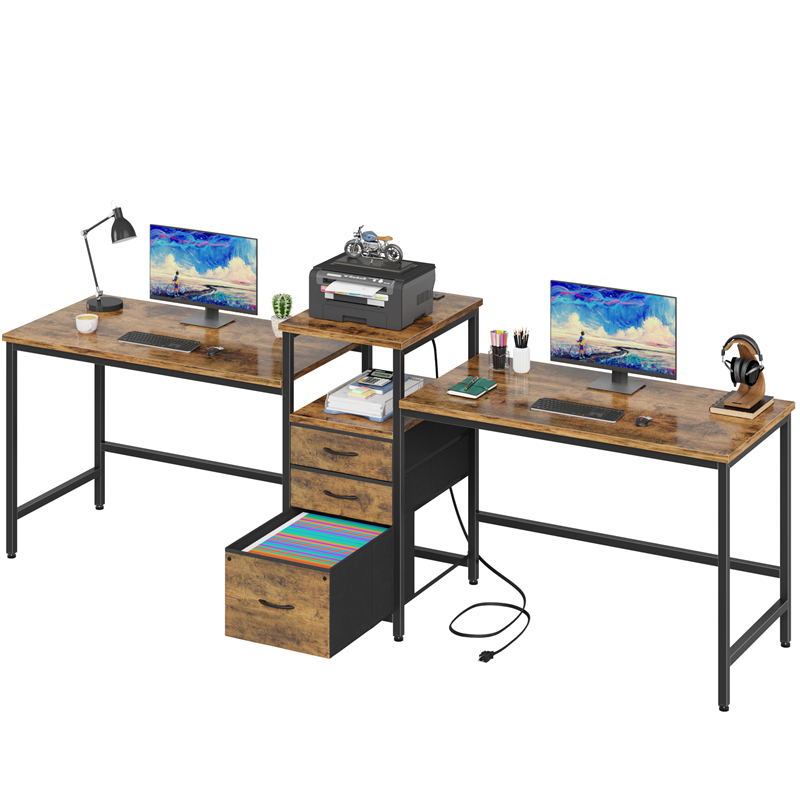
What a Project Reset Should Change on a Shared Double Desk
A project reset should return a shared double desk to a baseline both users can start from, not strip every surface. The condition is that each active project has a labelled staging place away from the daily working area, and finished material has an archive home. On the D2007, the listing confirms only a double-desk configuration and Tiger Wood colour designation, so the zones must be created with containers or clear areas rather than assumed drawers or shelves.
Reset differs from decluttering: decluttering decides whether to keep an object, while reset decides where it lives between sessions. The keep zone holds items used in every session of the current project; staging holds items needed again soon but not every session; archive holds finished or reference material. If an item cannot be assigned to one of those three, the routine will stall at the next handover.
How to Set the Keep Zone Without Losing the Shared Surface
The keep zone should hold only what the current project needs in every session and has a stable place on the desktop. On a double desk, put each person's keep zone on their own side and keep shared items in a central baseline. The condition is reach: neither user should have to move the other's project material to sit down or open a notebook.
Test the zone by sitting in the working position. If the keyboard, mouse, notebook and drink cannot be used without shifting project items, the keep zone is too large. A shallow tray or a measured rectangle can mark the limit, but check the largest item first. An item used twice a week belongs in staging, not keep, even if it is bulky.
How to Use Temporary Staging Without It Becoming Permanent Storage
Staging is a short-term holding area for active material that is not needed every session but will be needed again soon. Give each active project one labelled container, an owner and a review point, usually the end of the week or the end of the project. If material sits untouched for a month, it should move to archive.
A lidded box suits a paused project because it hides the contents and can sit beside the desk; an open tray suits daily work because you can see what is inside. The limitation is that a box hides forgotten items and a tray adds visible clutter. Check the container's footprint against the chair pull-out and the route past the desk. The D2007 listing does not confirm an integrated drawer or shelf, so do not assume the desk itself will hold staging.
What Should Go to Archive and When
Archive material is finished project paperwork, samples, cables or tools that are not needed for the current session or the next active phase. It should leave the desktop, and preferably leave the room, because material kept within reach tends to drift back. The condition is that you can name when you will need it again or accept a search.
Label archive boxes by project and end date rather than a vague subject, and put the label on two sides so you can identify the box without pulling it out. If a document is needed weekly, it is not archive; keep it in staging or a filing cabinet. Digital working folders follow the same logic: close the active folder and move temporary exports off the desktop.
A Repeatable End-of-Session Shutdown Routine
A repeatable shutdown works better than an occasional clear-out because it catches project material before it spreads. Run it at the end of each session: park the task, close files, put current project paper into its staging container, return shared items to the central baseline, move finished material to archive, and clear anything that is not part of the current project from the keep zone. The condition is that staging and archive containers are reachable without moving the desk.
End with the central baseline clear and the chair pushed back, not with an empty desk. If the desk changes projects every day, the shutdown is the handover between them. If it stays on one project all week, the routine can be shorter: stage loose items and clear the keyboard area. Leave cleaning out of the reset until the D2007 finish and care method are confirmed, because the listing does not provide them.
How to Handle Two Active Projects on One Double Desk
Two active projects can share a double desk only when each has its own staging container and each user can sit without reaching across the other's keep zone. The condition is overlapping use: if one person must clear the other's papers to start work, the allocation is wrong.
Divide by session rather than by permanent ownership of the whole desk. Keep each person's everyday items on their own side and shared equipment in the middle. If one project needs the full width for drawings or samples, schedule it for a block when the other project is in staging. If both projects need reference material out at the same time, a separate side table or second surface is the more honest solution; the listing does not confirm usable width per person, so measure the actual top before relying on simultaneous use.
When the Reset Routine Needs Adjusting
The routine needs adjusting if staging fills within a week, the keep zone creeps into the other user's side, or archive boxes are opened daily. Each sign points to a different cause: too many active projects, project items treated as permanent, or material archived too early.
Reduce the number of active projects rather than adding more containers. Set a limit of one staging container per active project and one archive box per finished project. If a third active project appears, pause one and archive or return its material. Review the zones at the end of each project, not every day, and ask the seller for the D2007's actual dimensions and storage features before adding furniture around it. Tiger Wood is a colour designation, not a material specification.
Explore related furniture
D2007 Double Desk — Tiger Wood Colour
Who this helps
Two people share the D2007 double desk and swap between projects during the week. One project's papers, charger and tools are still out when the other person needs a clear surface, and neither wants to file everything away at the end of each day.
How to make the choice
Choose a keep-stage-archive reset when project material can live in a labelled tray or box beside the desk and finished material can leave the work area; the trade-off is a short daily shutdown instead of one long clean-up. If no nearby floor or shelf space exists for staging, reduce the keep zone and archive more often rather than stacking project piles on the desktop.
Information behind this guide
The D2007 listing confirms only the model, double-desk configuration and Tiger Wood colour designation. It does not give dimensions, drawer or shelf storage, cable management or a load limit, so zone sizes and storage choices are planning advice to verify with the seller and your own measurements, not product specifications. Tiger Wood is a colour name, not evidence of solid wood.
Compare your options
| Option | Consider when | Limitation | What to verify |
|---|---|---|---|
| Open staging tray | A project in daily use where you need to see and grab items without opening a lid; it can sit on a side surface or a clear part of the desk. | Leaves contents visible, collects dust and takes up surface or floor space; it is easy to let it become permanent. | Measure its footprint against the chair pull-out and keep it out of the other user's legroom. |
| Lidded staging box | A paused project that will resume within days or weeks; the lid hides the contents and lets the box sit beside the desk. | Hides forgotten items and needs a clear floor or shelf spot; a heavy box is awkward to move. | Check the largest item fits with the lid closed and that the box can be lifted and stored without blocking a route. |
| Archive box | Finished or rarely retrieved project material that can leave the work area. | Slower to retrieve and easy to forget; it should not be reopened for weekly items. | Label two sides with project and end date, and confirm the storage spot is away from daily foot traffic. |
Your decision checklist
- Agree which central strip stays clear on the D2007 and test it against the chair and screen positions before placing anything there permanently.
- Label one staging container per active project with the project name and the date it must be cleared or archived.
- Before buying trays or boxes, measure the largest item and the intended storage spot; the D2007 listing gives no drawer, shelf or under-desk dimensions.
- Set a five-minute shutdown sequence: close files, move current material to staging, return shared items, and put finished material in archive.
- Review staging weekly and move anything not touched in the project's last two working sessions to archive.
- If both users sit at the desk at once, give each a separate staging container and a separate keep area rather than relying on one shared pile.
- Ask the seller for the D2007's overall dimensions, usable work area per person, legroom and any storage or cable features before assigning permanent zones.
Related questions
Should each person on a double desk have a separate staging box?
Yes when both people use the desk at the same time or their projects overlap during the week. Separate boxes keep each project's material identifiable and stop one person's papers from occupying the other's keep zone. If the desk is used in shifts, one box can be relabelled between projects, but only after the previous project's material has been archived or returned. The D2007 listing does not confirm storage, so the boxes need a nearby floor or shelf spot you have measured.
How long can project material stay in staging before it becomes archive?
Use a review point rather than a fixed number of days: the end of the week, the end of the project phase, or the next time you sit down and cannot remember the last time you used the item. If material has not been touched in two working sessions on that project and is not needed for the next session, move it to archive. Weekly-use documents should stay in staging or a filing cabinet, not archive.
What should remain on the desk between projects?
Keep only the shared baseline items and the tools you use in every session, such as the screen, keyboard, pointing device, lamp and any reference you genuinely open daily. Project-specific papers, samples and chargers go to staging or archive. Check that each remaining item has a stable place and does not block the other user's chair or legroom; the listing gives no dimensions, so confirm the actual top and clearances.